Client Work // 02 · Clinical Workflow SaaS
Clinical Workflow SaaS
Redesigning a core clinical letters workflow to support churn-reduction goals and improve operational efficiency.
Role
Senior UX/UI Designer
Industry
Healthcare SaaS
Users
3,500+ clinics
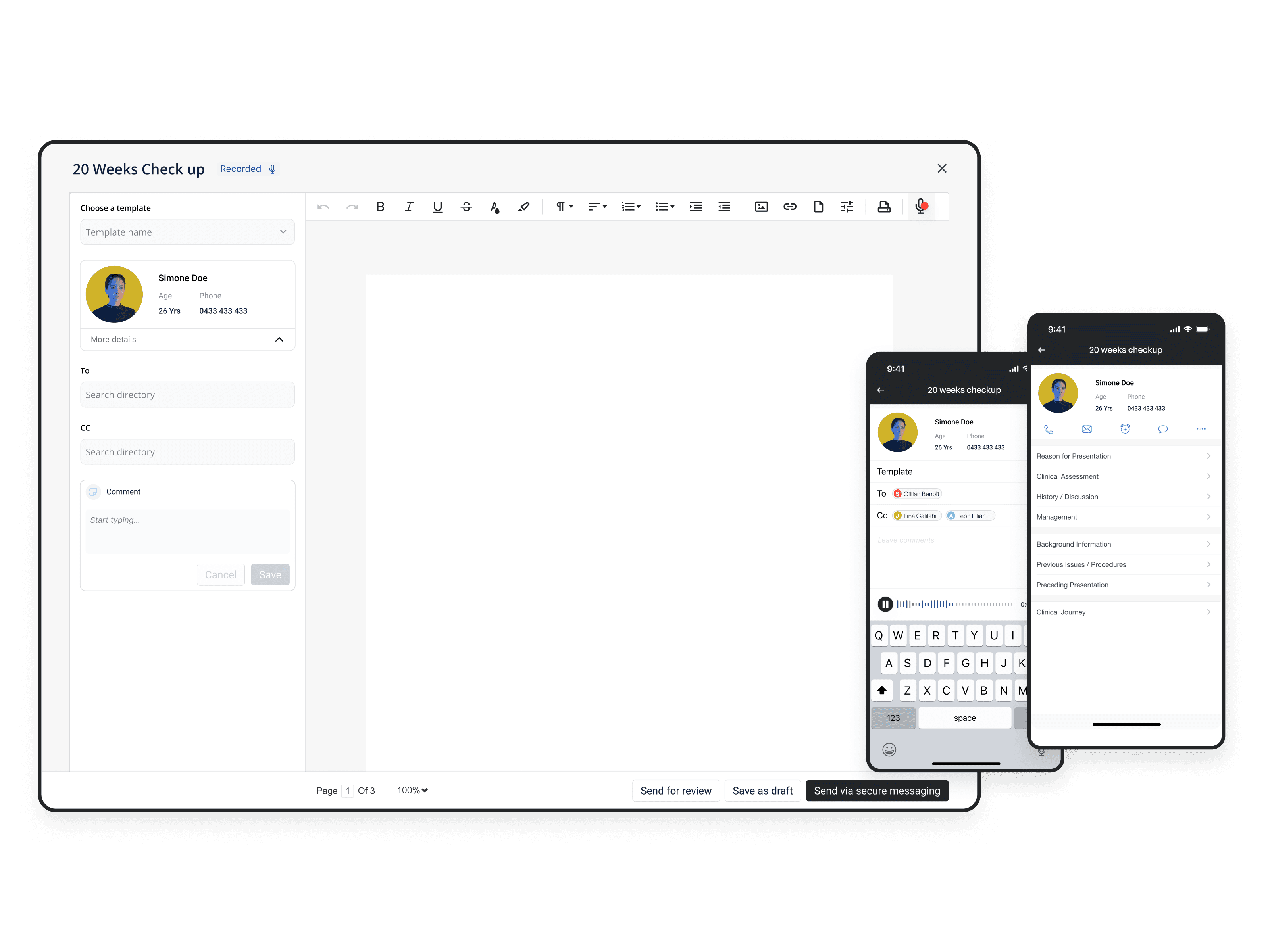
Outcomes
The Business
Which workflows can we enhance to reduce churn?
Clinic to Cloud was used across a large clinical network. The company objective was to reduce churn. The team identified an opportunity: improving the letters workflow. A frequent task across the platform.
"For medical professionals every second counts."
The CEO
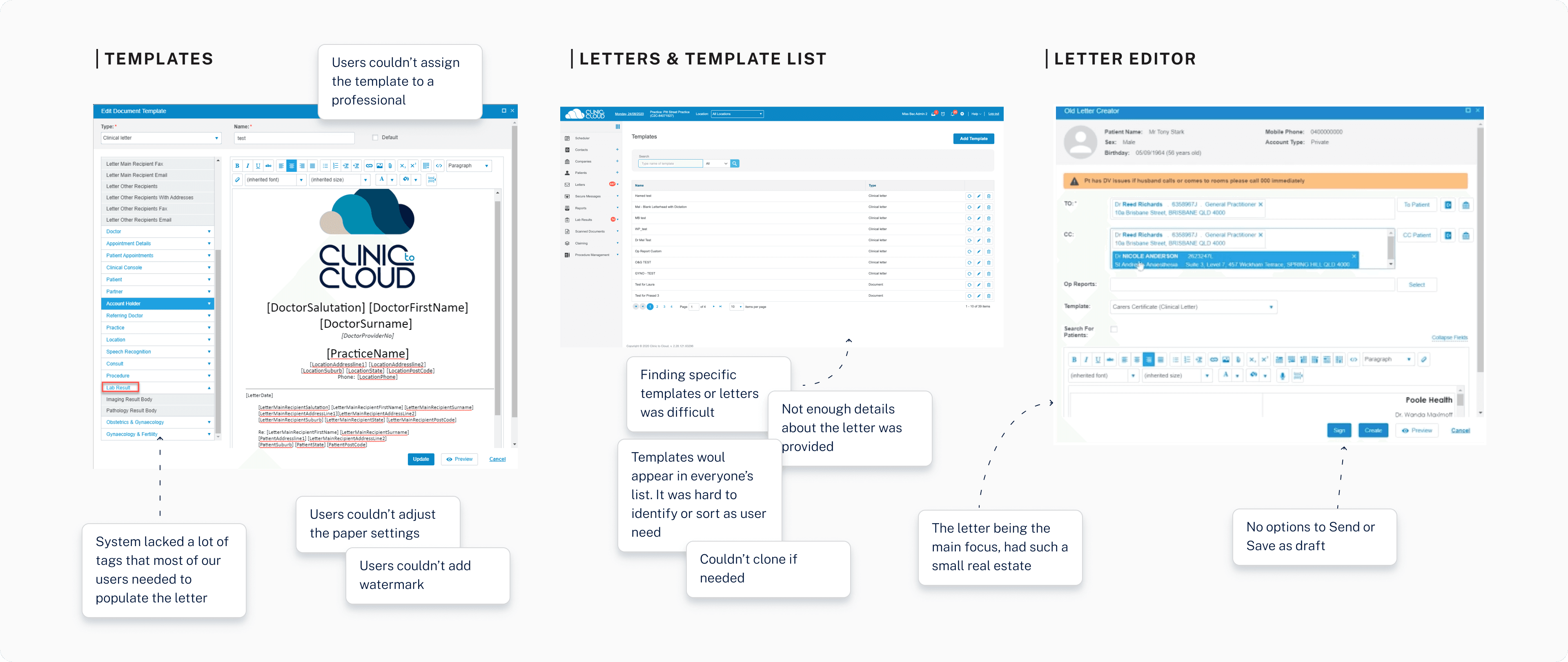
The existing product. Dense, linear, and built around document creation rather than patient context.
Research
Research across multiple user types
We had many different types of users: specialists, admin, typists, and practitioners. I interviewed medical professionals and their staff to understand their workflows. Users reported letters could take around 10 minutes, with high daily volumes for some teams. A massive pain point hiding in plain sight.
Specialists
Gynaecologists
Admin staff
Typists
Practitioners
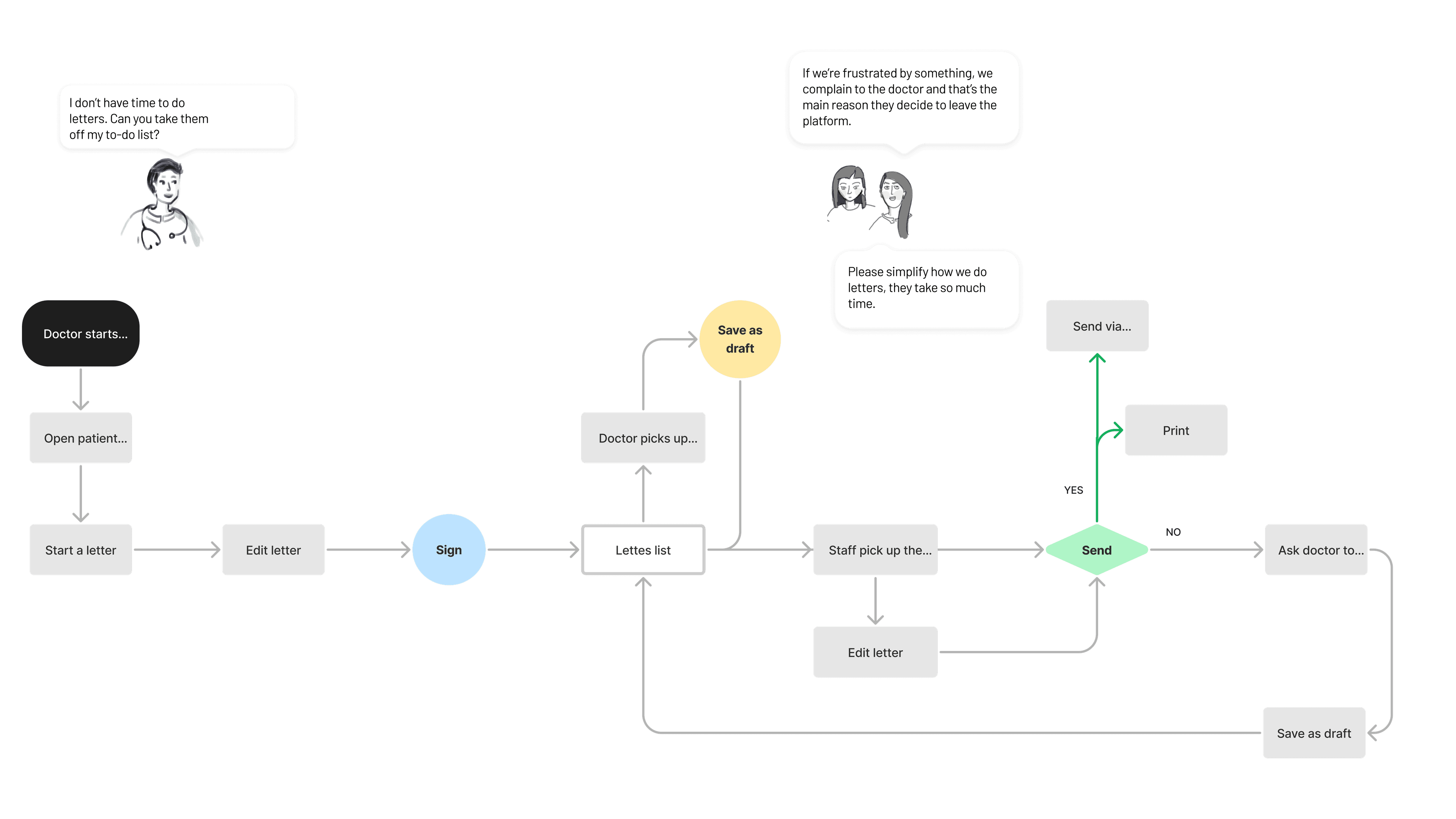
User flow mapping the letters workflow across all four user types.
Process
Opportunity Mapping
Mapped the business objective of reducing churn to specific workflow opportunities, creating alignment between product, design, and engineering on where to focus.
Workflow Analysis
We mapped the end-to-end workflow to identify breakdown points in document creation, review, and delivery.
Design, Test & Iterate
Ran co-creation workshops with cross-functional teams, contributed to a shared component library across the specialist, patient, and GP portals, and validated through early prototypes with real users. The shared component library helped shorten the feedback loop.
The Product
The redesigned system brought patient context, template management, letter editing, and dictation into a single coherent workflow. Three core screens replaced what was previously scattered across multiple disconnected views.

Letters list. Patient context surfaced upfront, status visible at a glance.
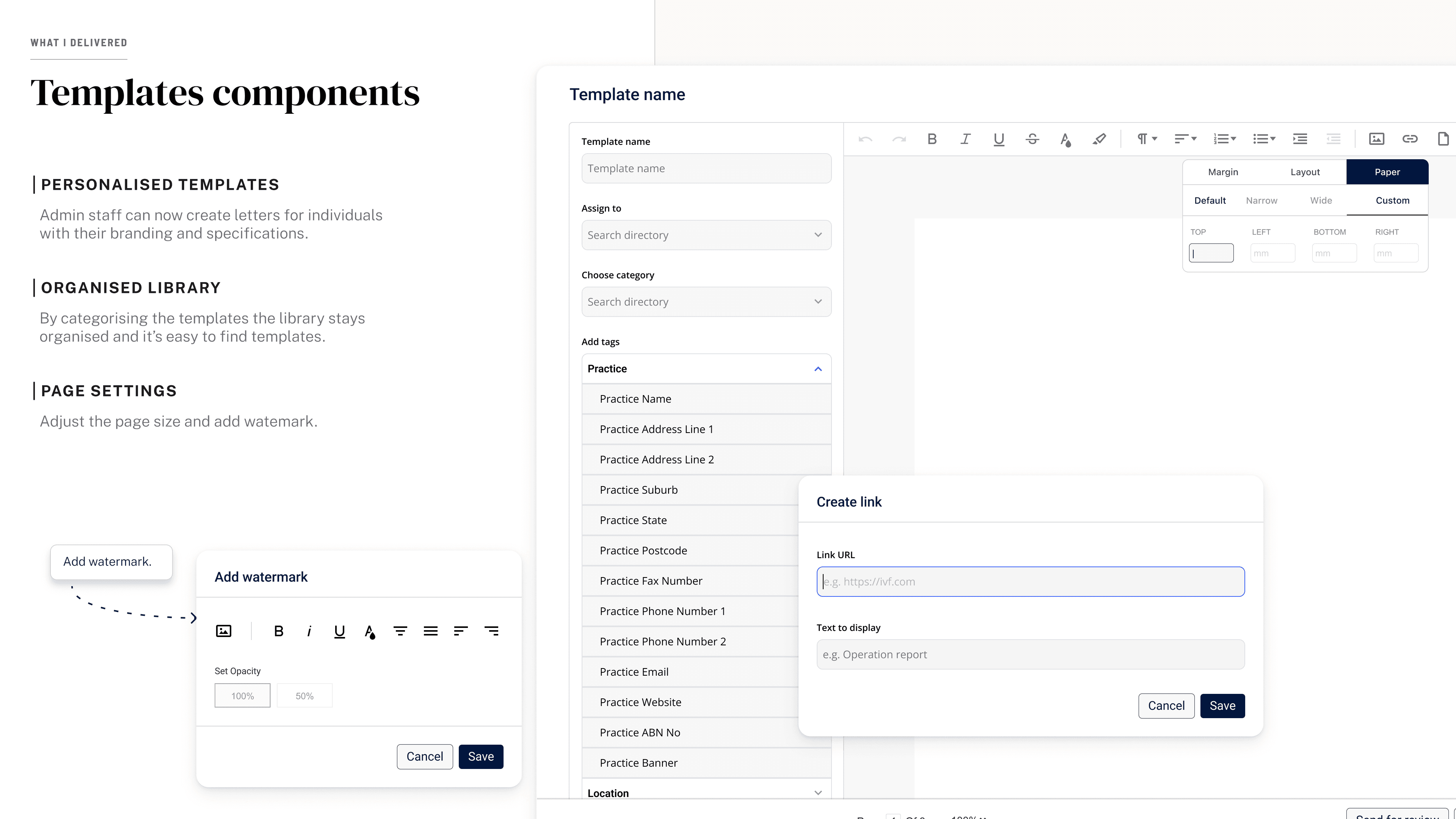
Template management. Search, preview, and select without leaving the workflow.
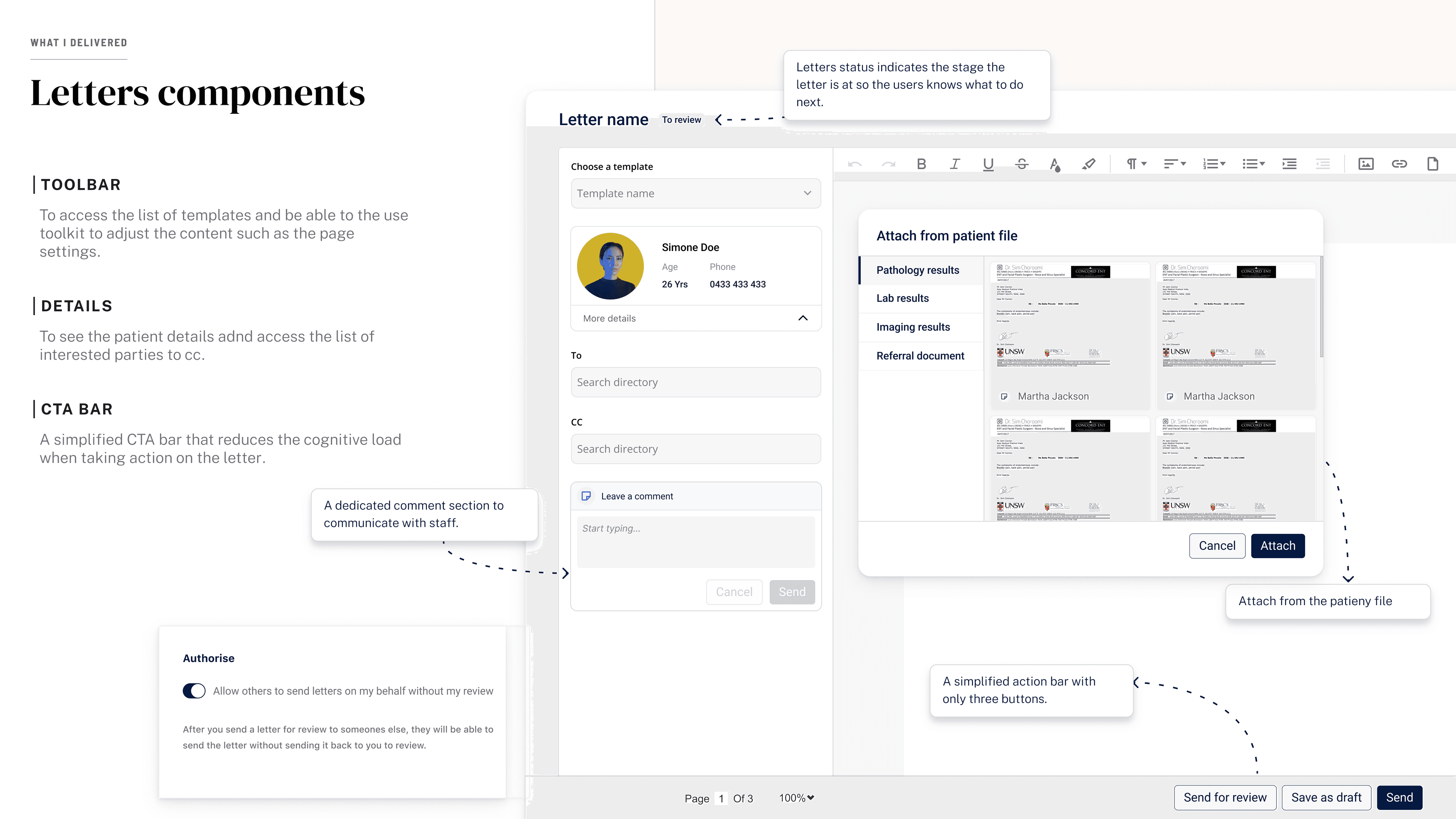
The letter editor. Rich text, dictation, and patient data in one screen.