Case Study · Healthcare SaaS · UX Design
How UX Reduced Churn Across 3,500 Clinics
How redesigning a core clinical workflow reduced task time by 50% and improved NPS from 49 to 54 across 3,500 clinics.
Role
Senior UX/UI Designer
Company
Clinic to Cloud
Users
3,500+ clinics
Outcomes
50%
Reduction in time on task
+5pts
NPS improved from 49 to 54
↓
Reduced churn
↓
Reduced support tickets
The Business
Which workflows can we enhance to reduce churn?
Clinic to Cloud has 3,500 clinics using their software. The company objective was to reduce churn. The team identified an opportunity: improving the letters workflow. A core task performed hundreds of times daily across the platform.
"For medical professionals every second counts."
The CEO
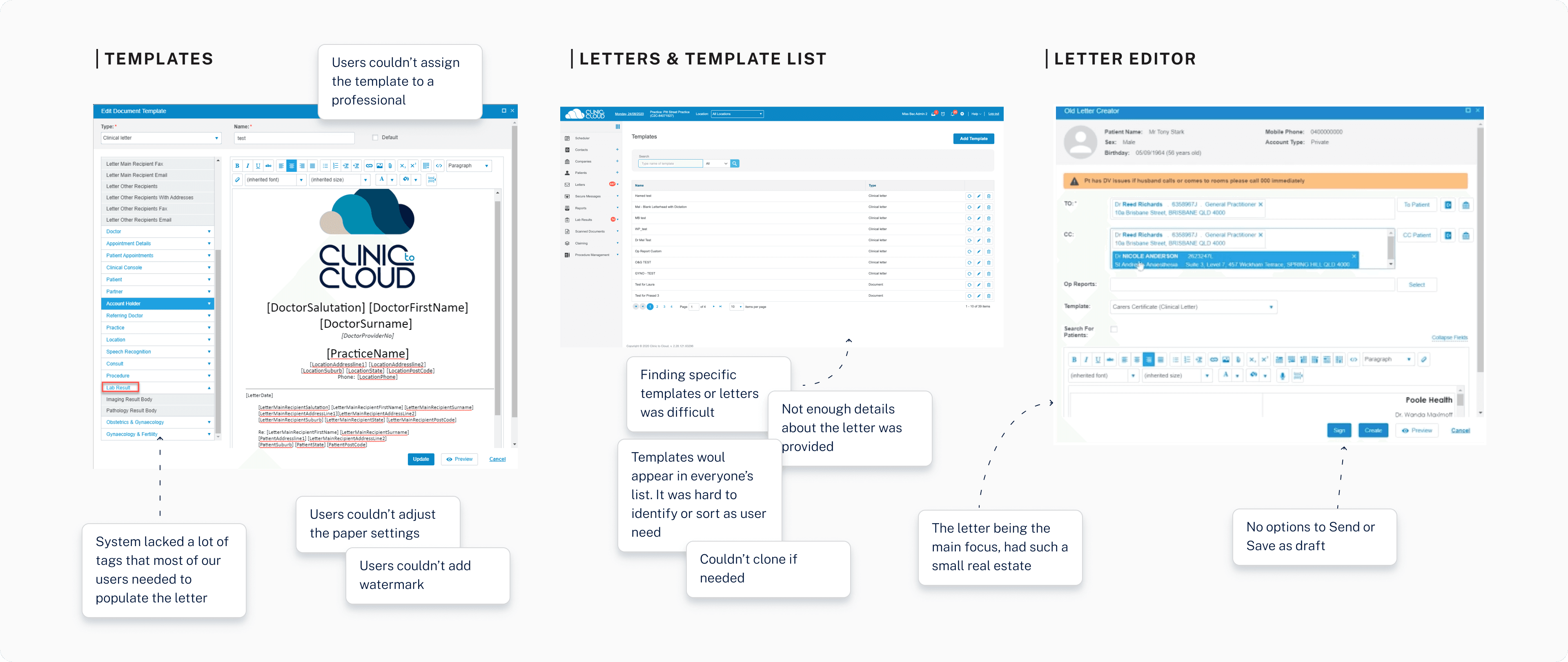
The existing product. Dense, linear, and built around document creation rather than patient context.
Research
15 interviews across 4 user types
We had many different types of users: specialists, admin, typists, and practitioners. I interviewed 15 medical professionals and their staff to understand their workflows. It took about 10 minutes per letter, and on average they had about 100 letters per day. A massive pain point hiding in plain sight.
Specialists
Gynaecologists
Admin staff
Typists
Practitioners
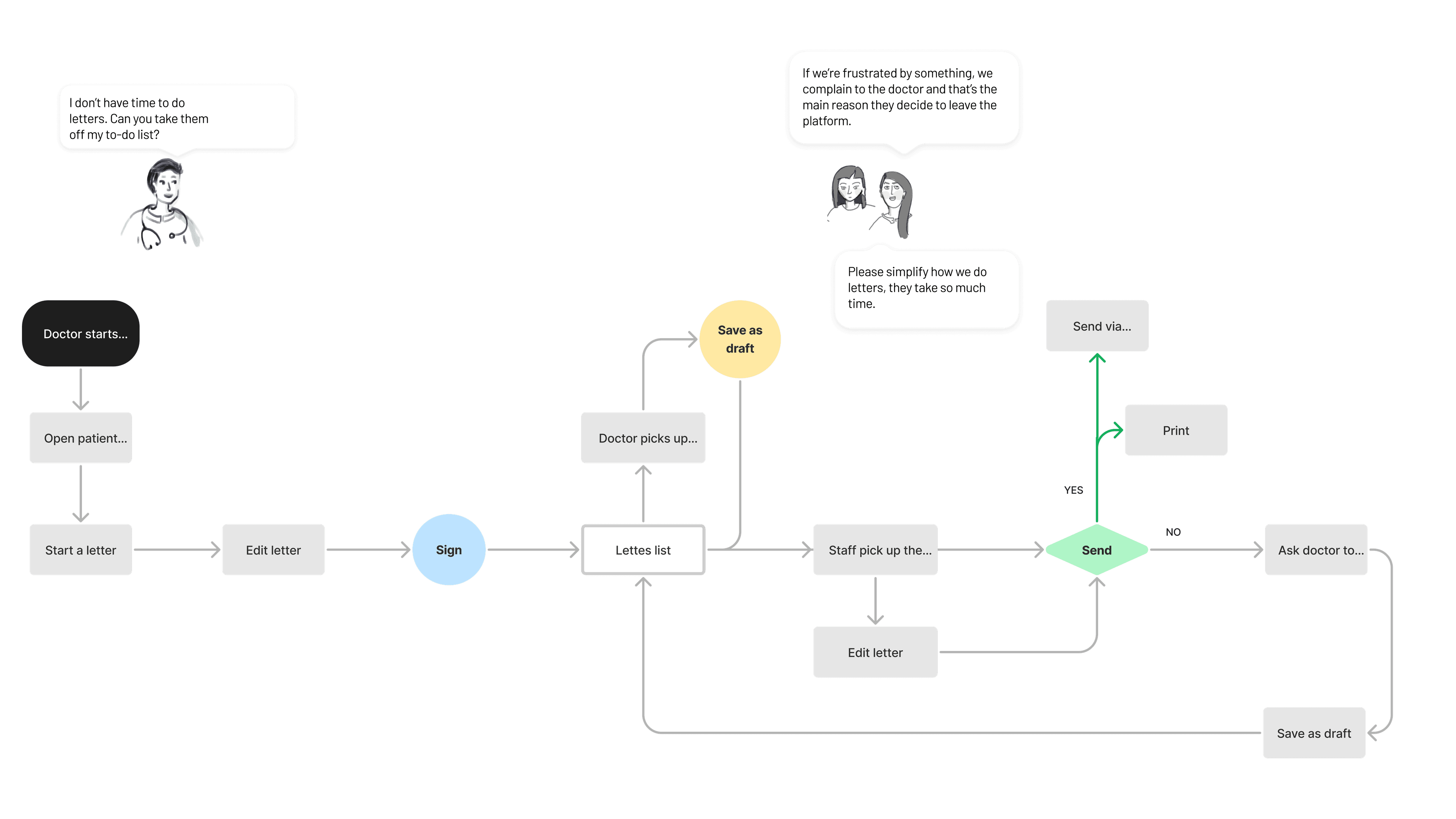
User flow mapping the letters workflow across all four user types.
Process
Opportunity Tree
Mapped the business objective of reducing churn to specific workflow opportunities, creating alignment between product, design, and engineering on where to focus.

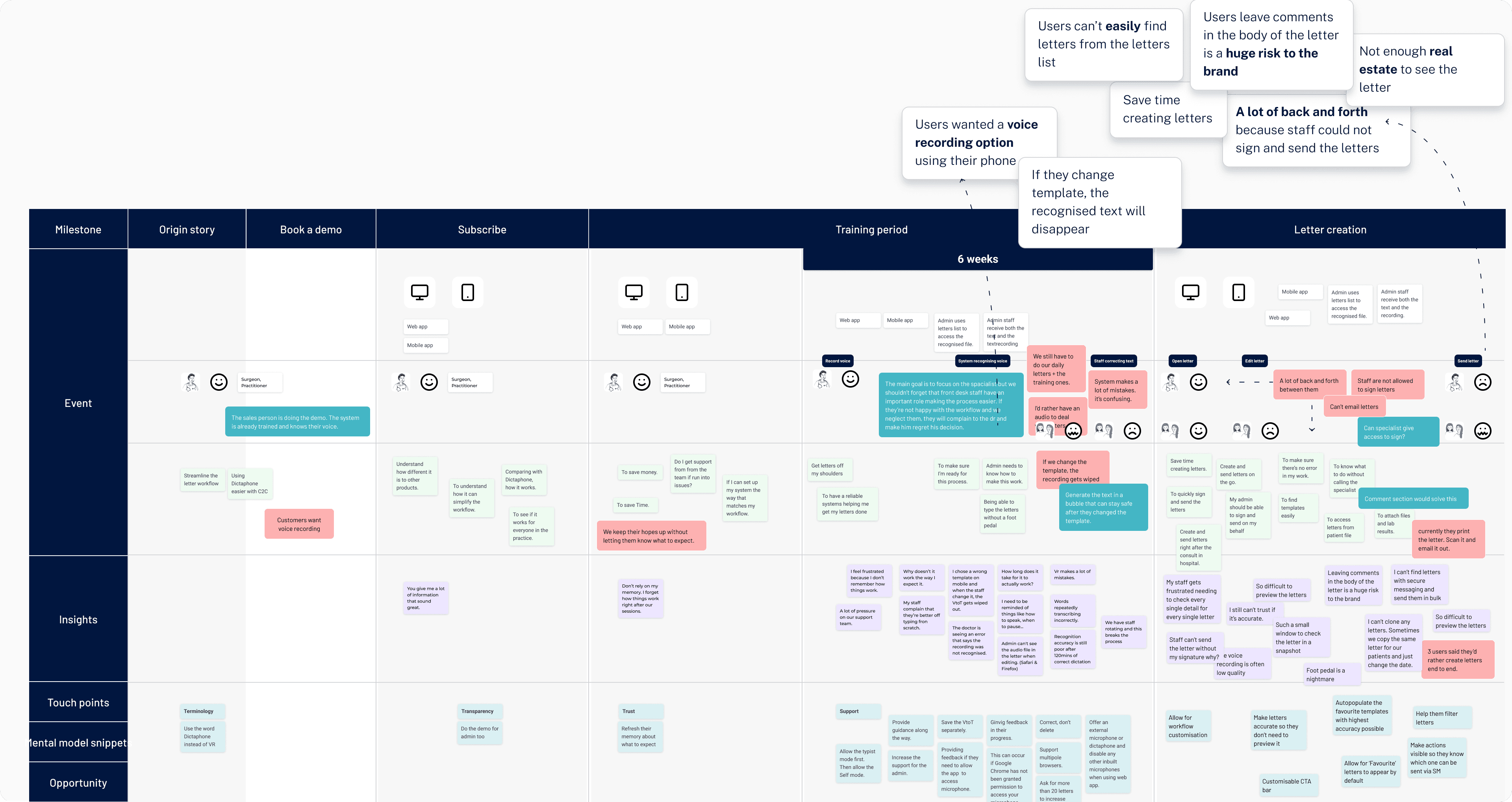
Customer Journey Mapping
Creating a user journey map that reflected real insights and opportunities helped me build transparency and trust with stakeholders. Achieving alignment was much easier with a shared artefact everyone could react to.
Co-creation Workshops
Ran workshops with cross-functional teams to generate ideas collaboratively, ensuring the solution was grounded in diverse expertise rather than designer assumptions.
Design System & Component Library
Looking across the specialist portal, patient portal, and GP portal, I identified unique icons, elements, and components needed for the project. I built them into the online Design System and presented them to the team to ensure alignment before development.
Early Feedback & Iteration
Got early feedback on prototypes with real users. Because we had the component library ready, the team went away building key workflows to test and iterate. That compressed the feedback loop significantly.
The Product
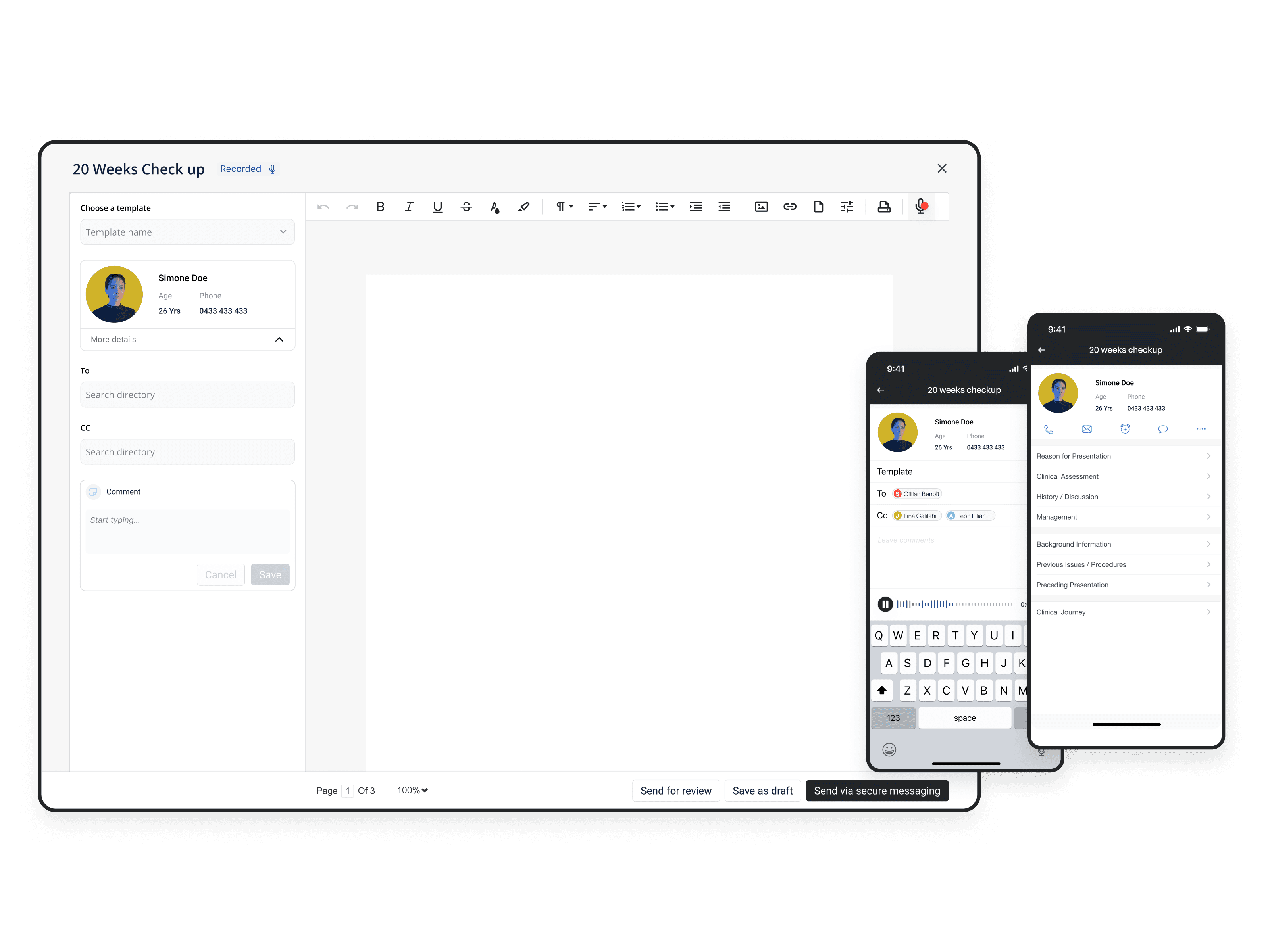
The redesigned system brought patient context, template management, letter editing, and dictation into a single coherent workflow. Three core screens replaced what was previously scattered across multiple disconnected views.

Letters list. Patient context surfaced upfront, status visible at a glance.
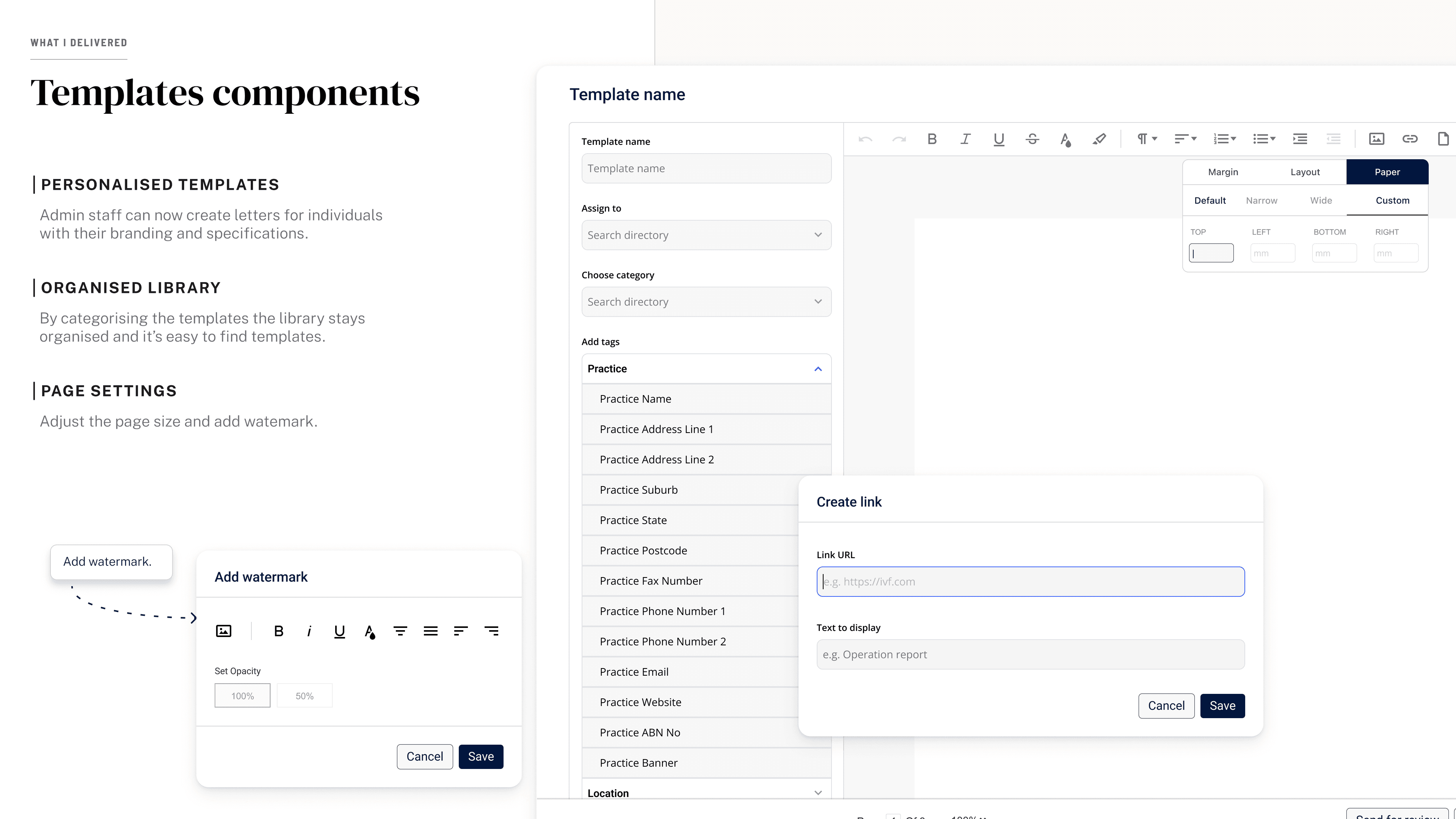
Template management. Search, preview, and select without leaving the workflow.
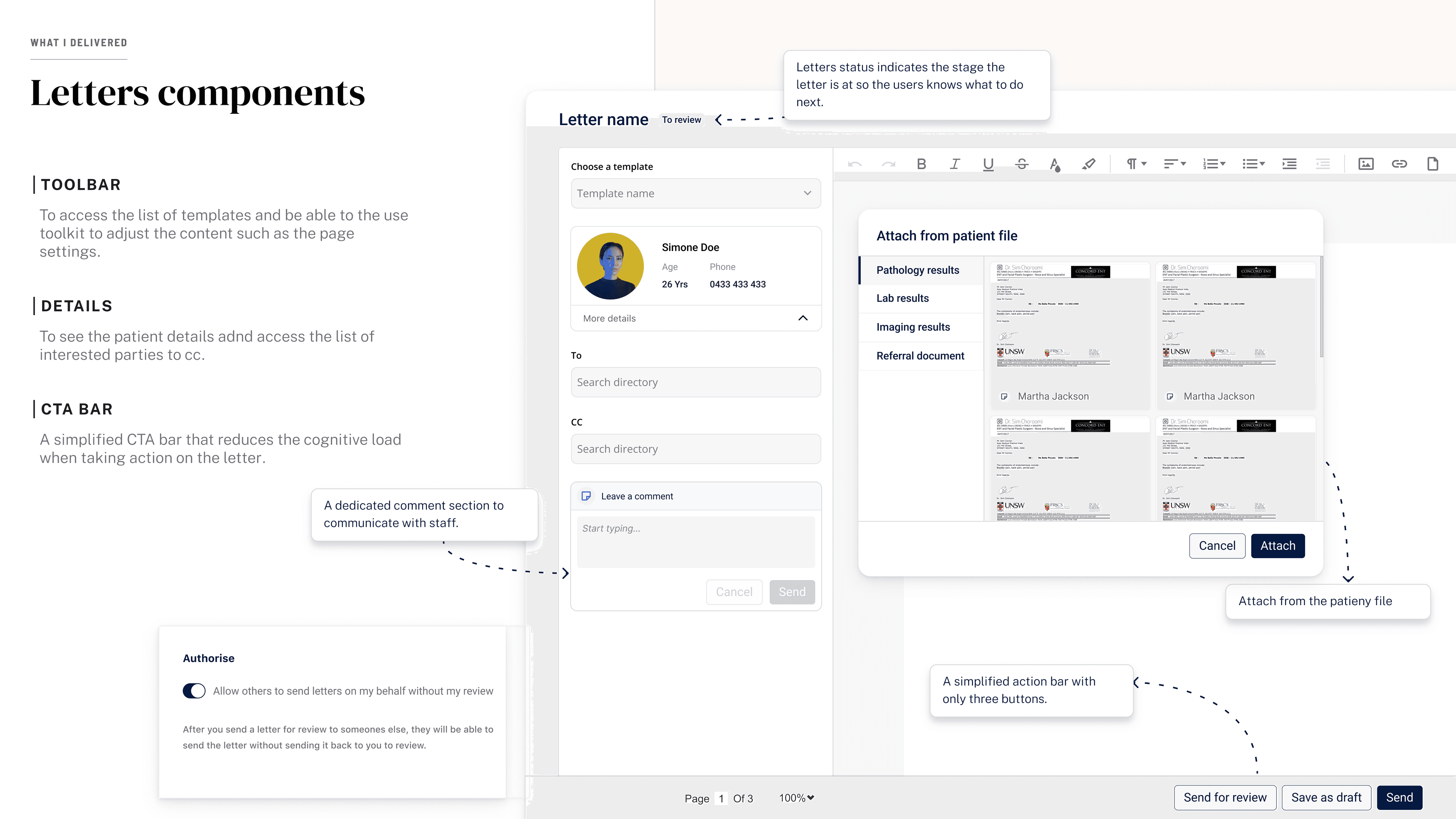
The letter editor. Rich text, dictation, and patient data in one screen.